Jun 15, 2026AIToolingDeveloper-Experience
Building AI-Native Developer Tools at Microsoft
How I used AI to build internal developer tools at Microsoft-from Smart Coverage Analyser to custom MCPs-and why the real win was changing the feedback loop, not adding magic.
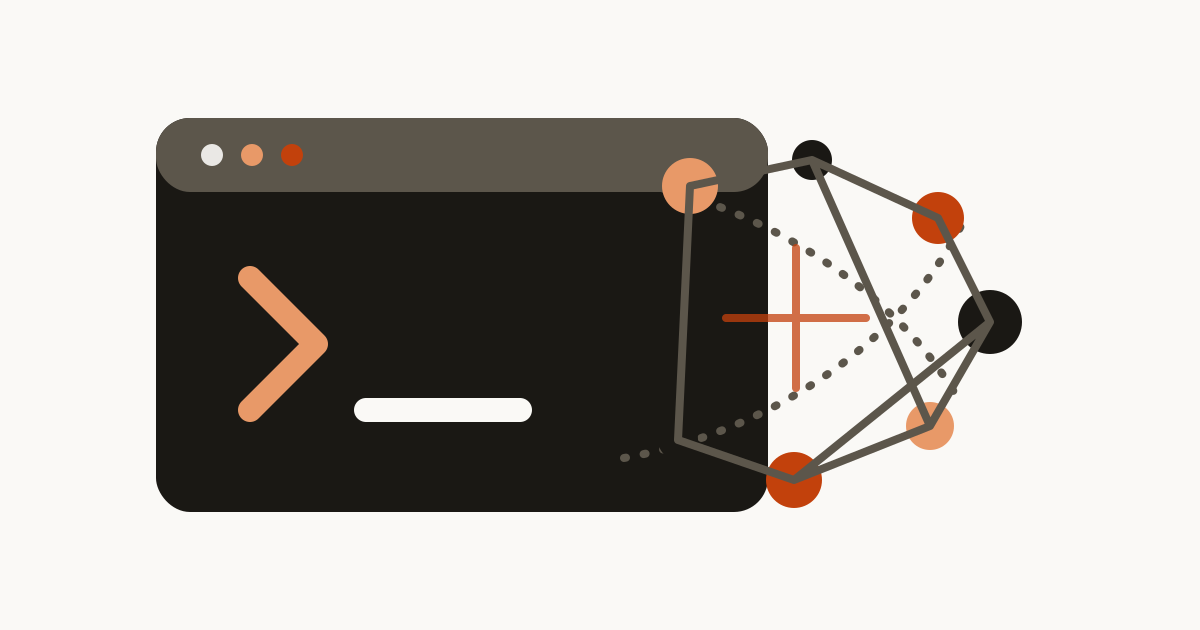
The most useful AI work I’ve done at Microsoft has not been a shiny demo. It has been developer tooling: practical systems that shorten the distance between question, context, and action. I’m interested in AI when it changes the engineering feedback loop enough that a team starts moving differently.
Once I framed the problem that way, a bunch of internal tools became obvious candidates: coverage analysis, Azure DevOps workflows, blast-radius reasoning, error extraction, end-to-end validation, and command-line ergonomics.
Smart Coverage Analyser: proving the leverage
The clearest example was Smart Coverage Analyser. We had the classic quality problem that shows up in mature systems: lots of surface area, uneven test depth, and a lot of human effort required just to decide what should be tested next. Manual coverage planning is exhausting because the cost is not only writing tests. The cost is reading code, tracing ownership, identifying critical paths, and aligning on risk.
I built Smart Coverage Analyser with an AI-native workflow from day one. The goal was not “let the model write every test.” The goal was: let the tool surface missing paths, explain why they matter, and reduce the coordination tax around test planning.
In about 6 weeks, the tool helped drive us to 62% coverage. Compared to a manual approach, we estimated it saved roughly 15 weeks of effort and made the team move about 5x faster. I like those numbers because they are specific, but I like the behavioral shift even more. The team stopped spending so much time debating where the blind spots were and spent more time fixing them.
A simplified flow looked like this:
code diff -> coverage signals -> dependency context -> AI-assisted gap summary -> prioritized test targets
That may not sound dramatic, but collapsing that loop is exactly where productivity shows up.
The custom ADO MCP was surprisingly high leverage
Another tool I’m particularly proud of was a custom ADO MCP. Azure DevOps is powerful, but the friction is real when you’re constantly bouncing between dashboards, work items, rollout notes, and code context. I wanted the agent loop to interact with ADO in a way that felt native rather than bolted on afterward.
That tool ended up being more than convenience. It materially accelerated engineering work tied to service modernization. One concrete example: it helped drive CC.MIME inversion from 50% to 70% in 8 weeks by making it easier to gather context, track issues, and keep execution tight.
The pattern I kept seeing was simple: once the model had structured access to the right operational objects, the value was less about “intelligence” and more about workflow compression. Fewer tabs. Fewer lost notes. Faster traceability from task to code to validation.
GRAIL and the blast-radius problem
If you work on production systems serving billions of requests, “what does this change touch?” is not a casual question. That is why I built and used GRAIL, a Neo4j-backed code graph designed for blast-radius analysis before merge.
Before merging a change, I wanted a clearer graph of callers, ownership hints, and downstream dependencies. In other words, I wanted help answering questions like:
- If I change this serializer, which endpoints inherit the risk?
- If I invert this interface, which services or clients become contract-sensitive?
- What paths should I absolutely validate before rollout?
A graph-backed model is great for this because codebases rarely behave like clean trees. They behave like messy dependency networks.
MATCH (c:Change {id: $changeId})-[:TOUCHES]->(n)
OPTIONAL MATCH (n)<-[:CALLS|DEPENDS_ON*1..3]-(impact)
RETURN DISTINCT impact
The actual implementation had more nuance than that, but the concept was powerful: reduce the cost of responsible caution.
OverPowered CLI and the value of staying in flow
One of my favorite side projects was what I jokingly called OverPowered CLI. The name was tongue-in-cheek, but the outcome was real. By stitching together retrieval, code intelligence, and task automation into a terminal-first loop, I made my own agent operations more than 50% faster.
That speedup did not come from one magical command. It came from eliminating small bits of friction: less manual lookup, fewer context resets, and faster transitions from issue to code to validation. That pattern shows up again and again in AI tooling.
Error extraction, E2E validation, and real engineering hygiene
I also built a Visual Studio Error Extraction MCP, which sounds niche until you realize how much time engineers waste translating noisy IDE output into actionable next steps. That tool helped turn the error stream into something the agent could reason about more directly.
On the validation side, I worked on an end-to-end testing framework covering 20 core mail scenarios. This mattered because AI-assisted acceleration is only useful if your verification loop keeps up. I do not trust tooling that makes code generation fast but leaves confidence slow. Good AI tooling has to improve both creation and validation.
That is probably the least glamorous but most important lesson I’ve learned: if you do not invest in test and telemetry infrastructure, AI will just help you make mistakes faster.
Claude Code adoption was as much cultural as technical
A surprisingly rewarding part of this work was helping drive Claude Code adoption across the org. I ran hands-on sessions, shared best practices, and tried to be honest about where agent workflows shine and where they still need guardrails. The best conversations were grounded: which tasks benefit, where humans stay in control, and what makes the tools reliable. Once people saw the model as part of a well-designed system rather than a gimmick, adoption became much easier.
What I believe now about AI-native tooling
These projects changed my view of AI in engineering. I’m much less interested in asking, “Where can I sprinkle AI?” and much more interested in asking, “Which workflows deserve radically better leverage?” That mindset produced better tools than any generic “AI strategy” conversation ever did.
The tools that worked were not just traditional tools with a chatbot stapled on top. They were AI-native in the sense that models were part of the control plane, but they only worked because the surrounding interfaces were clear and the validation loops were fast.
Looking back, the headline metrics matter-62% coverage in 6 weeks, ~15 weeks saved, 5x faster execution, CC.MIME from 50% to 70% in 8 weeks, >50% faster CLI operations-but the deeper win was cultural. We started expecting better developer ergonomics. We started treating internal friction as something worth attacking. And personally, I became much more willing to build the tool I wish existed instead of tolerating the workflow I already have. That shift has probably compounded more than any individual implementation.